
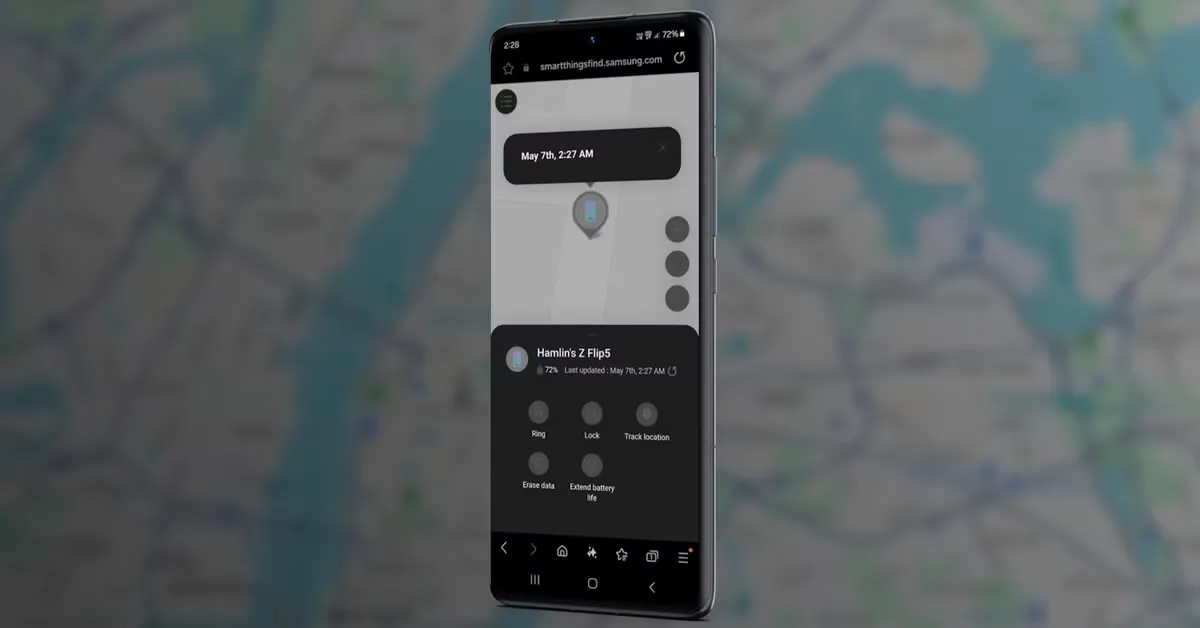
You know that gut-punch panic when you can’t find your phone, and then it hits you—location services were off the whole time? Trust me, you’re not the only one. People tend to think that once GPS or location tracking is off, the search is basically hopeless. But here’s what a lot of folks don’t realize: you still have options to find your lost phone, even without location services. There are clever tricks, built-in tools, and third-party apps out there, set up just for this kind of headache.
Today’s smartphones are smarter—and sneakier—than you think. Even with GPS off, your device keeps talking to Wi-Fi networks, cell towers, Bluetooth devices, and sometimes cloud services. Those little signals can still point you in the right direction. This guide breaks down how to actually use these safety nets, step-by-step, so you can track your phone, whether it’s powered down, stuck in airplane mode, or just has location switched off.
Why Location Services Help—But Aren’t Everything
Sure, GPS does the best job at plotting your phone on a map. But it needs internet and the right permissions. Turn those off, and the usual tracking dead-ends. But honestly, that’s not the full story.
Your phone is almost always connected to something—routers, towers, or even random Bluetooth beacons. These constant check-ins leave clues behind. Some manufacturers and security apps know how to use these traces to estimate where your device was last seen or whether it’s moved.
Also, phone makers like Apple, Google, and Samsung build in features to find your device even without GPS. These often run behind the scenes, and unless you went out of your way to disable them, they’re probably still running.
The Big Stuff That Affects Tracking
– Is your phone on or dead?
– Does it still connect to Wi-Fi or have mobile data?
– Is it an Apple, Android, or another brand? Each handles recovery a bit differently.
– Did you set up Find My Device or Find My iPhone? If so, good move.
– How long has it been missing? The quicker you act, the better.
Finding an iPhone When Location Is Off
If you’ve got an iPhone, Apple’s Find My network is your best hope—even if location is disabled. This system uses a mix of Bluetooth, crowd-sourced data, and encrypted connections to keep tabs on lost devices.
How Find My Helps Without GPS
Find My doesn’t stop at GPS. It uses a secret network of other Apple devices. If your phone is anywhere near an Apple device (could be a stranger’s), that device quietly picks up your phone’s Bluetooth signal and reports its location back to Apple, all anonymously.
So even if your iPhone’s offline, in airplane mode, or has lost its location privileges, as long as there’s some battery left and Bluetooth is working, Find My can still work for you.
Steps to Track a Lost iPhone, Even Without Location
1. Open iCloud.com/find on any browser, on any device.
2. Sign in with your Apple ID—make sure it’s the one your lost phone uses.
3. Click on “All Devices” and pick your missing phone.
4. If it’s online, you’ll see its live location.
5. If it’s offline, you’ll see its last known spot.
6. Turn on “Notify When Found.” You’ll get an alert if the phone pops back up.
7. Use “Mark as Lost” to lock your device and show a message with your details.
If someone turns the phone back on or hooks it up to Wi-Fi, Find My updates you automatically. That’s a real lifeline.
If Find My Was Off,
If you never turned on Find My, your chances drop way down. But don’t lose hope:
– Check iCloud backups—there might be a location record.
– Contact your mobile carrier—they can sometimes locate the last tower your SIM was seen at.
– Use any third-party security apps you installed, like Prey or Lookout.
For next time? Turn on Find My during setup. Seriously, it’s worth two minutes of your life.
How to Track an Android Phone Without Location
Android fans have Google’s Find My Device. Like Apple’s system, it can help you locate, lock, or wipe your phone, even if GPS is switched off.
How Find My Device Pulls This Off
Google’s Find My Device looks for Wi-Fi, cell data, and Bluetooth signals to guess where your device might be. If any other Android gadget is close enough, it can help, too.
Even if location is off, Find My Device logs your phone’s last seen spot before it went dark.
Steps to Track a Lost Android Phone, Location Off
1. Go to google.com/android/find in any browser.
2. Log in with your Google account from the lost phone.
3. Select your device.
4. If it’s online, a pin shows the phone’s spot on the map.
5. If it’s offline, you’ll get its last recorded location.
6. Lock the device and show a message using “Secure Device.”
7. Wipe it if things look bad with “Erase Device.”
8. Turn on notifications so Google tells you if the phone reconnects.
If Find My Device Wasn’t Set Up
Not ideal, but you might still have a shot.
– Check your Google Account security events for recent sign-ins or device activity.
– Samsung phones? Try Samsung’s Find My Mobile if you registered before.
– Talk to your carrier—they can see the last tower connection.
– Look for help from anti-theft apps like Cerberus or Avast if you installed them.
Lesson? Turn on Find My Device the day you get your phone. It matters.
Third-Party Apps for When GPS Is Disabled
If you skipped built-in tracking but had a third-party tracker set up, you might be in luck. Some keep working even if someone resets or fiddles with your device’s settings.
Top Apps That Can Still Help
– Prey Anti-Theft: Works on iOS and Android. It can lock down, track history, or use Wi-Fi for a location guess—even with GPS off.
– Cerberus (Android only): Takes secret photos, records audio, and shoots off SMS location updates if there’s no data.
– Lookout: Theft alerts, backup, and Wi-Fi/cellular-based tracking.
– Microsoft’s Find My Device: Works for Android, integrates well with Windows, offers remote wipe/lock.
Most of these need you to install and set them up before losing the phone. But if you did, check their web dashboards and see if your device pinged any location recently.
How to See If a Third-Party Tracker Is On
– Log into the app’s website (like preyproject.com).
– Check for recent tracking updates.
– Try sending a “locate” or “alarm” command.
– If your phone answers, you’re in business.
Heads up, though—some tools need internet. But even a few seconds of Wi-Fi access can give you the lead you need.
Using Wi-Fi & Mobile Data for Location
No GPS? Doesn’t matter. Phones constantly talk to Wi-Fi access points and cell towers, and these get logged.
How Network Tracking Works
Your phone pings cell towers and routers, all at physical locations. So carriers and app services can use these logs to estimate where your phone was—accuracy might be a few hundred meters, but that’s still a start.
How to Use Those Traces
– Call your carrier and ask if they can tell you where your phone last hit a cell tower.
– Check if your phone auto-connected to public Wi-Fi spots—often, your Apple or Google account logs these.
– On Android: maps.google.com/locationhistory could have past routes.
– On iPhone: Significant Locations in your privacy settings might give you previous hangouts.
This stuff won’t track your phone live, but it absolutely helps police or narrows your search.
What if the phone’s off or in airplane mode?
A dead or disconnected phone really ups the challenge, but the story isn’t over.
1. Wait for a Connection
Most people (or thieves) eventually turn a phone on. Enabled tracking services grab that chance and ping you, so set your Find My notifications up and wait for that alert.
2. Use Bluetooth Trackers
If there’s a Tile or AirTag on your phone case, their networks could spot your stuff. Even if your phone’s dead, these trackers talk to other people’s devices and send the location update your way.
3. Get Authorities Involved
File a police report and give your IMEI number (use the box or old settings records). Cops can work with carriers if the phone is used criminally.
Prevention Is Everything
Your best move isn’t after you lose your phone—it’s before. Here’s what you should do right now:
Must-Enable Security Stuff
– Turn on Find My iPhone or Find My Device.
– Set up two-factor authentication.
– Add your contact info on the lock screen message.
– Shorten auto-lock to 30 seconds or less.
– Disable USB accessories when locked on iPhones.
– Download a trusted anti-theft app for a backup layer.
Set all that up, and the odds swing in your favor.
The Takeaway
Yes, you can still find a lost phone, even with location services off. Use built-in tools, chase down Wi-Fi and cell signals, and lean on third-party apps if you’re lucky. Most important? Set everything up before you actually need it.
Start early. The faster you go, the better your shot of getting your phone back.
Frequently Asked Questions (FAQ)
Can you find a phone if both power and location are off?
If you set up tracking (like Find My or Find My Device), you’ll at least get the last known location and a shot at a ping if it comes back online. If you didn’t, your options are really limited.
Does airplane mode block tracking?
Airplane mode kills GPS, Wi-Fi, and mobile data, so real-time tracking stops. But you’ll still see old location info if tracking was on earlier. Once the phone reconnects, you’ll get an update.
Can the police help track my phone with location off?
Yes, sometimes. Your carrier can check the last cell signal connection, but it takes a formal police request and can be hit-or-miss. Supplying your IMEI helps if someone misuses your device.
Last Thoughts
Losing a phone stinks, but it doesn’t mean it’s gone forever. Tech today gives you a fighting chance, even if location tracking’s off. Preparation is everything. Turn on tracking, install a backup app, and know your options. Five minutes now could spare you hours of stress down the road.
So, double-check your settings right after reading this. One simple tap can make all the difference if your phone ever vanishes.