
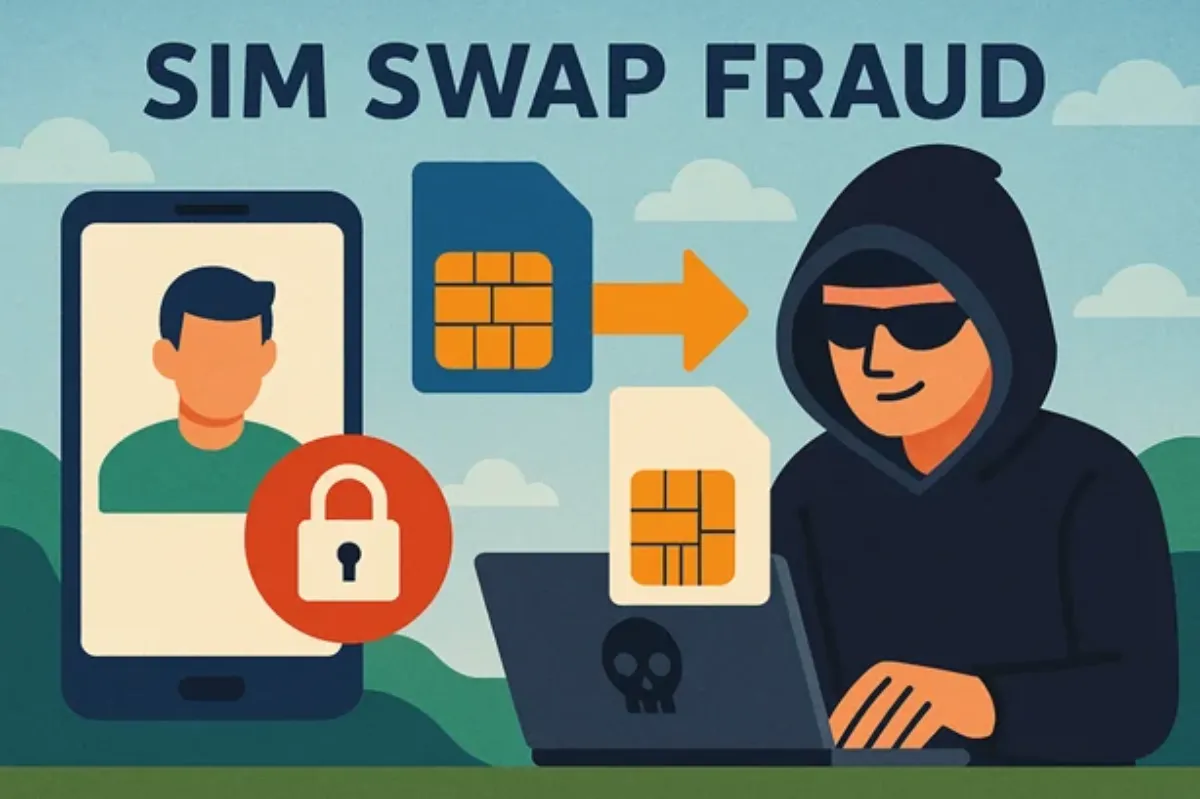
Picture this: You grab your phone and notice there’s suddenly no signal. Weird. Then, just as you’re trying to check your bank balance, your banking app logs you out for no reason. When you try to get back in, your password doesn’t work. Minutes later, your account is empty. Sounds like something from a suspense movie, right? Unfortunately, this nightmare actually happens—and it’s called SIM swap fraud. It’s one of the nastiest tricks cybercriminals use to break into banking apps.
Protecting your bank app from a SIM swap attack takes more than a solid password and basic two-factor authentication. You’ve got to get strategic. It starts with knowing exactly how these scams work, then taking steps to make your identity a fortress. Here’s what you need to watch for—and what you should do now to lock down your money.
What’s SIM Swap Fraud, and Why Is It So Dangerous?
In a SIM swap, someone talks your cell phone provider into transferring your phone number to a SIM card they control. Once they pull this off, they can grab your text messages (including verification codes), reset passwords, and slide right into your bank app like they own the place.
What makes SIM swaps terrifying is how they bypass security basics—even some types of two-factor authentication. Most banks still use SMS or voice calls for account recovery and login codes, so if someone else controls your number, they basically own your online life.
The FBI says SIM swap attacks have jumped over 400% in the last few years. People are losing thousands—sometimes much more. Even crypto investors and celebrities have been hit. No one’s off-limits.
How a SIM Swap Attack Actually Happens
Here’s how these scams typically go down:
1. Scammers collect info about you—your name, birthday, address, and phone number—maybe from a data breach, social media, or a fake email.
2. They call your phone company, pretend to be you, and say they lost their phone or SIM card. Then they ask for your number to be moved to “their” new SIM.
3. Once your number’s transferred, all your calls and texts—including those important bank codes—go straight to them. Now they can reset your passwords, take over your apps, and clear out your funds.
Since they’re armed with real personal info, customer service reps are often fooled—especially if the carrier doesn’t have airtight security procedures.
Why Banking Apps Are Prime Targets
Most banking apps are built around SMS-based two-factor authentication. It’s convenient. But if a scammer snags your number, they get all the one-time passwords (OTPs) sent to you. If they also have your login or can reset your password, your money’s up for grabs.
Some banks now support app-based 2FA (like Google Authenticator), but if SMS is set as a backup—and most people leave it on by default—that still leaves a door wide open.
Plus, lots of people reuse passwords across different sites. If a criminal uses your hijacked number to get into your email, they can trigger password resets on all your financial apps.
Red Flags: Signs You’ve Been SIM Swapped
Watch out for these warning signs:
– Your phone suddenly loses service or can’t make calls/texts.
– Incoming calls go straight to voicemail.
– You get alerts about password resets you didn’t request.
– There are unknown devices logged into your accounts.
– Your bank app reports sign-ins from weird locations.
If this stuff happens out of the blue, don’t wait. Call your carrier and your bank right away. The faster you react, the better.
How To Protect Your Bank App From SIM Swap Fraud
You can’t rely on just one safety net here. Defend yourself with several layers of protection. Here’s a plan to keep scammers out:
1. Swap Out SMS for App-Based or Hardware Two-Factor Authentication
Ditch SMS for 2FA. This is honestly the best thing you can do.
– Use apps like Google Authenticator, Microsoft Authenticator, or Authy. They make codes right on your device—nowhere near your phone number.
– Go for a hardware security key (like YubiKey) if your bank supports it. This is the gold standard—someone would need the actual key to get in.
– In your bank and email settings, turn off SMS as a backup for account recovery. Pick authenticator apps, email, or a security question instead.
A lot of banks let you use your fingerprint, Face ID, or a security key now—set that up if you can.
2. Add a PIN or Passcode With Your Carrier
SIM swaps usually work because phone companies don’t double-check who’s calling. Change that.
– Call your provider and set up a port-out PIN or account passcode. That way, no one (including you) can move your number without that code.
– Make this code unique—don’t use anything linked to your birthday or address.
– Don’t ever share this PIN, even if a “customer service rep” calls you.
Big carriers like T-Mobile, AT&T, and Verizon all offer this protection—but you usually have to ask for it.
3. Watch Your Accounts Like a Hawk
The sooner you spot weird activity, the less damage a thief can do.
– Look over your bank and credit card accounts weekly.
– Turn on instant transaction alerts through emails or push notifications.
– Use credit monitoring services so you know if someone tries to open new accounts in your name.
– Check your bank app’s login history to see if any unfamiliar locations or devices have logged in.
You can also set a Google Alert for your name and phone number so you know if it pops up somewhere suspicious online.
4. Lock Down Your Digital Life
Most SIM swaps start with a criminal getting your personal info from somewhere online. Tidy up your internet presence.
– Use strong, one-of-a-kind passwords everywhere. Password manager apps can help.
– Turn on two-factor authentication for all your big accounts—email, banking, cloud storage, and social media.
– Don’t overshare on social media: skip posting your full name, birthday, or family details.
– Freeze your credit reports. This stops crooks from opening new loans or accounts in your name.
– Be skeptical of any random texts or emails asking for info or logins—even if they look official.
Don’t make it easy for scammers by using your pet’s name as a password or sharing too much on Facebook.
5. Ask Your Bank for Extra Security
Banks don’t always advertise their toughest protection. It’s worth asking for:
– “Account lockdown” features—temporarily stop online access if something feels off.
– Only allow logins from devices you’ve already trusted.
– Dedicated fraud monitoring and quick response teams—especially at bigger banks.
– Biometric-only logins—fingerprint or face recognition every time, not just once.
Don’t just hope your bank put these features on by default. Double-check and turn them on.
What To Do If You Become a Victim
If you think you’ve lost control of your number, speed is everything.
– Call your carrier and get your number back on your SIM right away.
– Call your bank’s fraud team and freeze your accounts.
– Change your passwords and 2FA settings on a device you know is safe.
– File reports with the FTC and local law enforcement. This helps if you’re trying to recover lost funds.
– Keep a record of everyone you talk to and every step you take.
Watch your accounts extra carefully for weeks after an attack—sometimes criminals come back for more.
The Bottom Line
SIM swap fraud is one of the easiest ways for crooks to break into your bank app and steal your money. If all you’ve got is SMS codes, you’re an easy target. Use authenticator apps or a hardware key instead. Put a PIN on your carrier account. Keep an eye out for suspicious activity, and don’t overshare online. If you do get hit, act fast and document everything.
Don’t postpone this stuff. Review your security settings, talk to your bank and provider, and bulletproof your accounts now. Keeping your finances safe is worth the effort.
Frequently Asked Question (FAQ)
Can my bank app get hacked through a SIM swap if I use a strong password?
Yes. Passwords don’t mean much if someone intercepts your SMS codes. Once a scammer controls your number, they can break right in or reset your logins.
How do I know if my carrier protects against SIM swaps?
Pick up the phone and ask. You’ll want to hear phrases like “SIM lock,” “port-out protection,” or “account PIN.” Most big carriers have this feature, but you usually need to set it up yourself.
Does bank fraud insurance cover losses from SIM swaps?
Sometimes, but not always. If you follow security advice and act quickly, you have a pretty good chance. Don’t share your PIN or use lazy passwords, or they might deny a claim. Always move fast and keep a paper trail.
At the end of the day, protecting your banking app from SIM swaps isn’t something you can ignore. Take smart, simple steps today so you don’t have to deal with a digital disaster tomorrow. Your money—and your peace of mind—depend on it.